See it in action
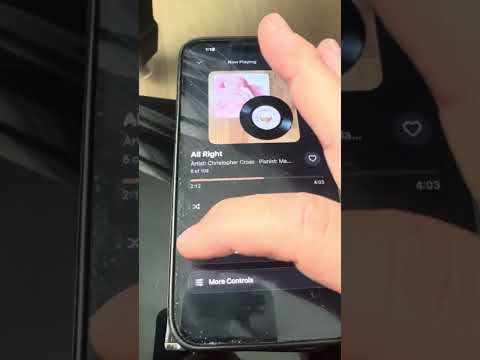
Watch LCD-MIDI play.
Our most-watched clip — over 1,000 views on YouTube.

Bluetooth MIDI receiver for player pianos
LCD-MIDI connects your phone to your Disklavier, PianoDisc or any player system with a MIDI input, then does the work a plain adapter can’t: it calibrates every key, keeps the volume where you set it, balances the band against the keys, and shows you what the piano is doing. Nothing else in this category has a screen. Nothing else we know of puts MIDI and stereo Bluetooth audio in one box.
Already own one? LCD-MIDI is the new name for the PianoLink LCD MIDI Receiver. Same box; update it to the current firmware.
4.0″ touchscreen · 480 × 320 · the real home screen, drawn here to scale
See it in action
Our most-watched clip — over 1,000 views on YouTube.
What it does
A Bluetooth dongle passes notes through and hopes for the best. LCD-MIDI sits in that same spot and takes responsibility for how the piano actually sounds.
Player systems never play all 88 keys evenly. Calibrate on the touchscreen or from the PianoStream app: match a few anchor notes and the box shapes the rest. Saved in the box, kept through every update.
Tap FIX A NOTE, tap the key that stood out from the last eight the piano played, and the box plays it between its neighbours. Softer, Louder, Done. The change stays for every song — and works for a dead key too.
Set a High limit once. The phone’s volume slider then moves the piano only inside the range that sounds good on your instrument. Every song also levels itself, so a quiet recording comes up to match.
On a Disklavier or a PianoDisc with a tone generator, give a solo-piano song a band that follows the pianist. Drum Boost fills out faster songs; late-drum intros and tempo-aware ambience keep slow ones gentle.
Studio Mix is the band balance measured from Yamaha’s own PianoSoft Disklavier recordings — bass just under the piano, drums and strings sitting well back. It’s the factory default, and one tap on the home screen switches between it and your own Custom mix.
The bass walks the chord you’re playing — major, minor or seventh — and keeps time under a held chord, then steps back the moment you play your own bass line. The drummer keeps a soft stick going on slow songs and loosens its timing so it never sounds like a machine.
Five sliders — Piano, Bass, Drums, Band and Follow — set how the band sits against a real acoustic piano and how much it comes down with the phone’s volume. Tune once, save, forget.
Many piano recordings are played softly in the low register. Bass Boost lifts the bottom two octaves on the piano itself, on by default, off with one tap.
Connected or not, which phone, the volume the app is sending, live bars while a song plays, and a Demo button so the piano can play with no phone at all.
Playing an analog or FSK system through the audio input? The box keeps re-asserting your volume on the piano every second, so a glitch in the audio stream can never make the piano jump.
LCD-MIDI is a standard Bluetooth MIDI device. PianoStream, Synthesia, GarageBand, a MIDI file player: if the app speaks Bluetooth MIDI, it plays the piano.
Sounds
Three of the band tiles step through three voices each. The horns don’t play chords — they find the melody and play just that line, the way the records do.
Plus Strings (four steps from soft to Lush, with flute and harp on the melody), Rhodes, Harpsichord and Accordion. Sounds come from the piano’s own XG tone generator; a plain-GM system plays the nearest standard voice.
Three models
The two screen models run the same firmware and share the same screen; Universal adds a second radio for stereo audio. LCD-MIDI USB is the small one with no screen, for pianos that take MIDI through a USB port.
One 5-pin MIDI cable to the piano. The phone plays the keys; the box calibrates, limits and shows.
For: any player piano with a MIDI input, played from PianoStream or another Bluetooth MIDI app.
Everything in Bluetooth, plus a high-quality Bluetooth audio receiver with an external antenna. Shows on your phone as a second device and powers up with the box.
For: pianos with speakers or an audio input, older analog player systems, and anyone who wants piano plus backing audio from one app. As far as we know, the only standalone box that does both.
No screen. One USB cable into the piano’s square USB TO HOST port, the kind a Disklavier Enspire upright has in place of MIDI jacks. Set it up once from a page on your phone.
For: pianos whose MIDI goes through a USB port, and anyone who wants the receiver out of sight. It does not have the screen models’ per-key calibration or Fix a Note.
LCD-MIDI USB
Many newer pianos have no round MIDI jacks at all; their MIDI goes through a square USB port marked TO HOST. LCD-MIDI USB plugs into that port and turns the piano into a Bluetooth and Wi-Fi player. You set it up once from a page on your phone, then leave it out of sight.

The box’s piano cable goes into the piano’s USB TO HOST port, and its power cable into any USB charger. That’s it. The LCD-MIDI Duo version adds a 5-pin MIDI cable for pianos that have a MIDI IN jack, and sends the music out both cables at once.
Open PianoStream, pick the box, pick a station. PianoStream recognises it as an LCD-MIDI and opens its extra controls. Any other app that speaks Bluetooth MIDI works too. A built-in buffer holds the music back about a second so a Bluetooth stall never reaches the keys; turn it off to play live.
Keys and pedals you play on the piano go back to the phone over Bluetooth, so lesson, recording and notation apps can hear you.
Tap Find my Wi-Fi on the setup page, pick your network, type the password. The box can then be played from a web page on any phone or computer in the house — no app, and nothing to open on your router.
Choose Both and there is no switching: the PianoStream app plays over Bluetooth and PianoStream Radio plays over Wi-Fi, whichever you start. Bluetooth-only and Wi-Fi-only are still there if you want just one.
On a piano with a tone generator, switch on bass, drums, strings, Rhodes, organ, brass, harpsichord, accordion or 80s synth and they follow the piano note for note. Resonance adds a soft octave above the melody. Custom and Studio Mix balance the band against the keys.
For the first three minutes after it is plugged in, the box shows its own Wi-Fi network. Join it and the setup page opens: name the box, choose Bluetooth, Wi-Fi or Both, play a test scale, read the built-in instructions. Once it is on your home Wi-Fi the same page is at lcdmidi.local.
The setup page shows a green box when a piano answers on the USB cable, and the light gives three green flashes. Red means check the cable, with the list of what to look at.
Blue is Bluetooth, green is Wi-Fi. Slow flash: waiting. Solid: connected. Fast flicker: music going to the piano. A white flash: a key played on the piano. Three happy notes play when your phone connects, three sad ones when it leaves.
Leave it on Disklavier for a Yamaha. Choose PianoDisc for an older system that ignores the app’s volume: Piano Power strikes each note harder, every key is held at least 80 ms, and a soft floor keeps quiet notes from going missing.
New firmware installs from a computer in two minutes, from the same page as the screen models. The box name, your Wi-Fi and the piano type are kept. See Firmware updates.
Calibrating every key, Fix a Note and the volume limits belong to the screen models. If your piano plays unevenly and has a MIDI IN jack, LCD-MIDI Bluetooth or Universal is the better fit.
Played so far on a Yamaha digital piano and a Yamaha Disklavier Enspire through the USB TO HOST port, and on other systems through the Duo’s 5-pin cable.
PianoStream Radio · coming soon
PianoStream Radio is a web page, not an app. Open pianostreamradio.com on a phone, tablet or computer, pick a station, and your real piano plays — over your home Wi-Fi, through an LCD-MIDI USB box.
Each LCD-MIDI USB has its own six-character code, shown on its setup page. Type it into the radio page and that page plays that piano. The box fetches each song itself and plays it from its own clock, so the timing does not depend on the browser.
iPhone and iPad browsers cannot send Bluetooth MIDI. Over Wi-Fi that doesn’t matter: the radio page plays the piano from Safari, Chrome or anything else.
The radio page sets the piano’s volume and can add bass, drums with a choice of beats, strings and other instruments on pianos that have the sounds built in.
PianoStream Radio is still being built and is not open for sign-up yet. See pianostreamradio.com for the current status.
How it compares
The usual ways to get a phone into a player piano, side by side. The dongles are good at what they do; it is a smaller job.
| LCD-MIDI Bluetooth | LCD-MIDI Universal | Bluetooth MIDI dongle (MD-BT01, WIDI Master) |
Bluetooth audio receiver (generic) |
|
|---|---|---|---|---|
| Plays the keys over Bluetooth | Yes | Yes | Yes | No |
| Stereo audio to the piano’s speakers | No | Yes | No | Yes |
| Screen | 4″ touch | 4″ touch | One LED | One LED |
| Per-key calibration, Fix a Note | Yes | Yes | No | No |
| Song leveling and a volume limit | Yes | Yes | No | No |
| Disklavier / PianoDisc balance profiles | Yes | Yes | No | No |
| Live band from a solo-piano stream | Yes | Yes | No | No |
| Organ / Brass / 80s Synth ladders, melody horns | Yes | Yes | No | No |
| Volume lock on analog / FSK playback | n/a | Yes | No | No |
| Plays with no phone (demo) | Yes | Yes | No | No |
| Settings from the PianoStream app | Yes | Yes | Pairing only | No |
| Firmware updates | Web page over USB, no account | Web page over USB, no account | Vendor app | None |
| Two-way MIDI (piano back to phone) | No | No | Yes | n/a |
| Power | USB adapter | USB adapter | From the MIDI jack | USB adapter |
Product names belong to their owners. Dongle and receiver rows describe the category as commonly sold; check a specific model’s own specifications.
Universal · Piano + Audio mode
PianoDisc, Pianocorder-era and analog Disklavier systems take their music as an audio tone (FSK) on an RCA jack. With Universal, PianoStream sends that tone over Bluetooth to the box’s audio receiver and the piano plays — while the MIDI side of the box keeps control of the volume.
When the app is setting the piano volume but no MIDI notes are flowing, the box knows the piano is playing from the audio input and switches to Piano + Audio mode on its own. The moment MIDI notes return, it switches back.
Your volume is re-sent to the piano once a second for as long as Piano + Audio mode lasts. A dropout or a stray message in the tone can’t leave the piano blasting.
Eight colour level meters with peak-hold caps and a pulse on the beat, a live PIANO VOLUME readout, and a LOCKED chip that blinks each time the lock does its job.
What’s new · Rev 252
These are the screen models’ Rev numbers; they appear in the footer of the box’s home screen. LCD-MIDI USB has its own numbers (now Rev 58), shown on its setup page. Update either one from a computer in two minutes — see Firmware updates.
Works with
Firmware updates
Updates install over the USB cable from Chrome or Edge. One page updates every model: the screen boxes and LCD-MIDI USB each have their own button. Calibration and settings stay as they are. Boxes sold as PianoLink LCD MIDI Receiver update the same way.
On a computer, go to balanceiq.com/update.html in Chrome or Edge.
Connect the box to the computer with its USB cable. The MIDI cable can stay where it is. For LCD-MIDI USB, use its power port, not the one that goes to the piano.
Click the blue button for your box, pick the USB device, wait about two minutes. The box restarts on the current firmware.
On your system
Find your player system and watch LCD-MIDI on it. Tap to play.




Who makes it
LCD-MIDI is conceived, designed and built by Richard Hayes of Hayes Electronics in Pleasant Grove, Utah. Richard is an electrical engineer and piano technician with 32 years of hands-on experience with Yamaha Disklavier and PianoDisc player systems, and the founder of the PianoStream streaming service. Across all those years the same question kept coming up: why does the piano play every song a little wrong? The box is the answer. Every unit is assembled and tested on a real player piano before it ships.
hayesiq@gmail.com801-687-5413balanceiq.com/update.htmlpianostreamradio.comPianoStream (iOS / Android)